
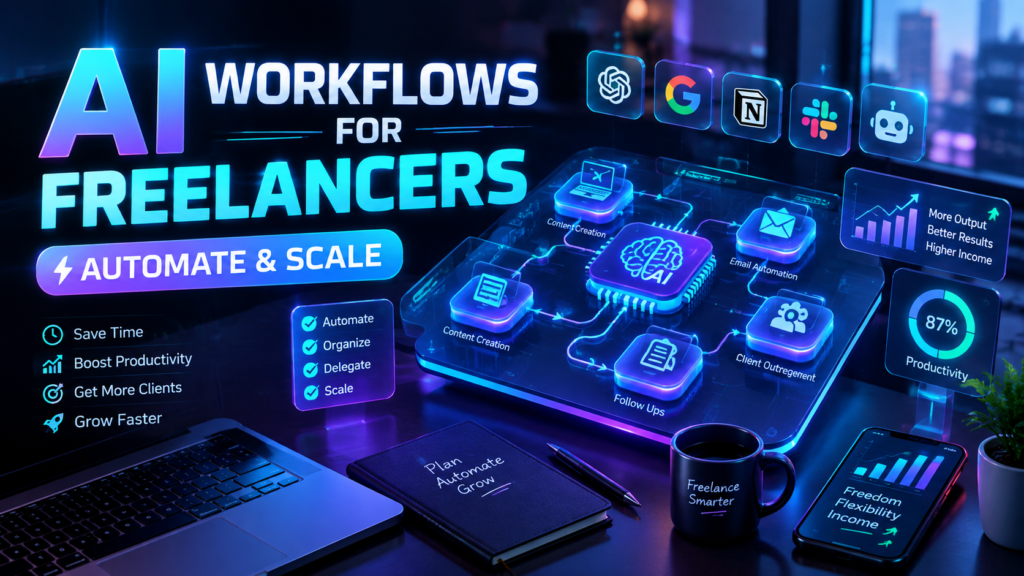
Freelancing gives you control over your work, but it can also turn you into the person responsible for everything: finding clients, replying to inquiries, writing proposals, onboarding customers, managing projects, creating content, sending invoices, and following up.
The problem is not necessarily that you have too much work. It is that too much of your work may be repetitive.
That is where AI workflows for freelancers can make a practical difference. Instead of using AI only to write an occasional email or brainstorm an idea, you can connect AI to the repeatable processes that run your business.
For example, a website inquiry can trigger an automated workflow that captures the lead, summarizes the request, identifies the type of project, adds the information to your CRM, and creates a follow-up task for you.
The goal is not to automate your entire business or remove yourself from important decisions. The goal is to build a system that handles predictable work while you stay focused on client relationships, creative decisions, strategy, and delivery.
This guide explains where freelancers can use AI workflows, what to automate first, which tools can help, what mistakes to avoid, and how to build a practical automation system without creating unnecessary complexity.
Table of Contents
- What Are AI Workflows for Freelancers?
- Why Freelancers Need Automation
- Tasks Freelancers Should Automate
- Finding New Clients
- Lead Qualification
- Proposals
- Client Onboarding
- Project Management
- Content & Marketing
- Client Communication
- Invoicing & Admin
- Customer Retention
- Example Freelancer AI Workflow
- Best AI Tools for Freelancers
- Common AI Automation Mistakes to Avoid
- AI Automation Best Practices for Solopreneurs
- How to Start Automating Your Freelance Business
- How AI Solo Flows Can Help
- Conclusion
- Frequently Asked Questions
What Are AI Workflows for Freelancers?
AI workflows for freelancers are automated business processes that use AI to interpret information, make limited decisions, generate content, or organize work between different tools.
A basic workflow usually follows this structure:
Trigger → AI or automation → Action → Result
For example:
New website inquiry → AI summarizes and classifies the inquiry → CRM record and follow-up task are created → Freelancer reviews the lead
Traditional automation typically relies on fixed rules. If a form is submitted, send an email. If a payment is received, update a spreadsheet.
AI automation can handle less structured information. It can read an inquiry, identify its subject, summarize the customer’s requirements, extract important details, and determine which workflow should happen next.
That does not mean AI should make every decision.
For freelancers, the strongest approach is often a combination of conventional automation and AI. Use rules for predictable tasks and AI where interpretation or language processing is actually useful.
Current workflow platforms increasingly support this combination. Zapier, for example, describes AI-powered workflows as automated processes that incorporate AI into repeatable business tasks rather than relying on manual prompting alone. Zapier+1
Why Freelancers Need Automation
A freelancer does not have a separate sales department, operations team, project coordinator, and administrative assistant.
One person often performs all of those roles.
That makes repetitive work especially expensive because every hour spent copying information between apps is an hour that cannot be spent on billable work, creative work, sales conversations, or business development.
Automation can help with:
- Lead capture
- Email organization
- Lead qualification
- Proposal preparation
- Client onboarding
- Task creation
- Project updates
- Content production
- Meeting summaries
- Follow-up reminders
- Invoice administration
- Customer retention
- Internal reporting
The important distinction is between doing less work and doing less unnecessary work.
You still need to think, create, communicate, negotiate, and make decisions. The opportunity is to remove the repetitive steps surrounding those activities.
For example, a freelance consultant might personally review every inquiry but should not necessarily have to manually copy the client’s name, company, project type, budget range, and contact details into a CRM.
That is a good automation candidate.
Tasks Freelancers Should Automate
The best tasks to automate usually have several characteristics:
- They happen frequently.
- They follow a repeatable process.
- They involve structured information.
- They require copying information between systems.
- They consume time without requiring much judgment.
- They are easy to check after automation.
- Errors are recoverable.
Tasks that require nuanced judgment, sensitive decisions, or personal relationships often need human involvement.
A useful rule is:
Automate the process around the decision before trying to automate the decision itself.
For example, instead of allowing AI to automatically accept or reject every potential client, use AI to summarize and categorize inquiries, then let the freelancer decide which opportunities deserve attention.
Finding New Clients
AI workflows can support the early stages of freelance sales without replacing relationship-building.
A simple lead-generation workflow might look like this:
Website form → CRM → AI classification → Follow-up task → Human review
When someone submits a project inquiry, the workflow can:
- Capture the contact information.
- Store the inquiry in a CRM or database.
- Use AI to summarize the request.
- Identify the likely service category.
- Flag missing information.
- Assign a basic priority.
- Create a follow-up task.
- Send a confirmation email if appropriate.
For example, a freelance web designer may receive inquiries for websites, landing pages, maintenance, and unrelated services.
AI can categorize those inquiries so the freelancer does not have to manually sort every message.
The workflow does not need to decide whether the person becomes a client. It simply makes the information easier to process.
Lead Qualification
Lead qualification is another practical use of AI automation.
Instead of manually reading every inquiry from beginning to end, AI can extract useful information such as:
- Service requested
- Project description
- Business type
- Approximate timeline
- Budget information
- Urgency
- Existing tools
- Specific requirements
- Questions that need clarification
The AI output can then be stored alongside the original inquiry.
A useful workflow could be:
New inquiry → Extract information → Summarize → Categorize → Score or prioritize → Notify freelancer
Be careful with automated lead scoring, however. A score is an organizational aid, not an objective measure of a prospect’s value.
The freelancer should be able to inspect the original message and override the automated classification.
Proposals
Proposal creation is often repetitive, but the proposal itself still needs human judgment.
AI can help prepare a first draft from structured information.
For example:
Qualified lead → Project details collected → AI prepares proposal outline → Freelancer reviews → Final proposal sent
The AI might organize:
- Client requirements
- Project scope
- Deliverables
- Timeline
- Assumptions
- Questions
- Relevant portfolio examples
A good system should not automatically invent pricing, deadlines, guarantees, or project requirements.
Instead, use predefined business rules and approved templates.
The freelancer remains responsible for the commercial terms.
Client Onboarding
Client onboarding is one of the strongest opportunities for automation because it often contains a predictable sequence of actions.
A typical workflow could be:
Signed agreement → Client onboarding form → Information stored → Project created → Tasks generated → Welcome email → Internal notification
The workflow might automatically create:
- Client folder
- Project workspace
- Standard task list
- Kickoff meeting task
- Communication channel
- Due-date reminders
- Internal notes
- Client welcome message
AI can also summarize onboarding responses and highlight missing information.
For example:
Client submitted onboarding form → AI identifies missing brand assets → workflow creates a task → freelancer receives notification.
That is more useful than simply having AI generate another generic welcome email.
Project Management
Project management automation is useful when it removes coordination overhead.
A freelancer can connect project-management software, email, forms, calendars, and AI tools so routine updates are handled automatically.
Possible workflows include:
- Turning approved projects into task lists
- Creating reminders when deadlines approach
- Summarizing meeting notes
- Converting action items into tasks
- Drafting project status updates
- Notifying clients when predefined milestones are reached
- Summarizing project conversations
AI is particularly useful for unstructured information.
A meeting transcript, for example, can be turned into a concise summary with decisions, action items, owners, and deadlines.
But important project commitments should still be reviewed before they are communicated externally.
Content & Marketing
Freelancers often know they need marketing but struggle to maintain it while serving clients.
AI workflows can turn content marketing into a repeatable system.
A content workflow could look like:
Content idea → Research/organization → AI draft → Human editing → Repurposing → Publishing queue
AI might help with:
- Organizing ideas
- Creating outlines
- Summarizing research
- Turning a long article into social posts
- Drafting email newsletters
- Creating content variations
- Extracting frequently asked questions
- Creating content briefs
The important step is keeping human expertise in the workflow.
AI-generated content should not become a substitute for experience, original insights, client knowledge, or fact-checking.
The strongest freelance content workflows use AI for preparation and production support while the freelancer remains responsible for expertise and final quality.
Client Communication
Communication is another area where automation can save time without making client relationships feel robotic.
Useful examples include:
- Meeting summaries
- Follow-up reminders
- FAQ responses
- Internal email classification
- Drafting routine responses
- Client update templates
- Escalation notifications
- Support-ticket categorization
A simple email workflow might be:
New client email → AI identifies topic → Summary created → Urgency classified → Draft response prepared → Freelancer reviews and sends
This is generally safer than allowing an AI system to send unrestricted client responses.
For high-value clients, sensitive matters, complaints, scope changes, pricing discussions, and contractual questions, human review should remain part of the process.
Invoicing & Admin
Administrative work is often one of the easiest areas to streamline.
Automation can connect your payment, invoicing, accounting, CRM, and project systems.
For example:
Project milestone completed → Invoice task created → Reminder scheduled → Payment status checked → Follow-up task created if needed
AI may also help summarize transaction information or classify administrative messages.
However, financial workflows require extra care.
Do not allow an AI model to make financial decisions simply because it can interpret text. Use deterministic rules wherever possible and maintain appropriate human oversight.
Customer Retention
Freelancers often focus heavily on acquiring the next client and overlook existing relationships.
Automation can help maintain those relationships.
A retention workflow might trigger after project completion:
Project completed → Client record updated → Follow-up reminder → Feedback request drafted → Future service reminder
AI can personalize the follow-up based on project context, but the freelancer should review messages where the relationship is important.
You can also create reminders for:
- Project anniversaries
- Maintenance periods
- Contract renewals
- Recommended follow-up services
- Content updates
- Quarterly check-ins
The objective is not to send more messages. It is to avoid forgetting useful, relevant follow-ups.
Example Freelancer AI Workflow
Consider a freelance marketing consultant who receives potential-client inquiries through a website.
Here is a practical end-to-end workflow.
Step 1: Trigger
A prospective client submits a website form.
The form collects:
- Name
- Company
- Service requested
- Project description
- Timeline
- Budget range
Step 2: Automation
The workflow sends the information to the consultant’s CRM or database.
Step 3: AI Processing
AI reads the project description and produces:
- Short summary
- Service category
- Key requirements
- Potential questions
- Suggested priority
Step 4: Action
The workflow creates a follow-up task and attaches the AI-generated summary to the lead record.
Step 5: Human Review
The consultant reviews the original inquiry and AI summary.
Step 6: Follow-Up
The consultant sends a personalized response or uses an approved template with appropriate edits.
Step 7: Proposal
If the lead is qualified, the workflow can create a proposal task and pre-populate relevant project information.
Step 8: Onboarding
Once the client accepts, another workflow can create the project, onboarding tasks, folders, and reminders.
The result is not a completely autonomous freelance business.
It is a business where repetitive administrative steps happen in the background while the freelancer remains involved where judgment matters.
Best AI Tools for Freelancers
There is no single best AI automation tool for every freelancer.
The right stack depends on the workflow, existing applications, budget, data sensitivity, and technical requirements.
| Tool category | Best for | Typical role |
| AI assistants | Research, writing, analysis | Human-assisted work |
| Workflow automation platforms | Connecting applications | Triggers and actions |
| CRM systems | Lead management | Customer records and follow-up |
| Project management tools | Delivery | Tasks, deadlines, collaboration |
| Forms | Data collection | Structured workflow triggers |
| Email platforms | Communication | Follow-up and campaigns |
| Databases/spreadsheets | Lightweight storage | Structured business data |
| APIs/webhooks | Custom integrations | Connecting systems |
Platforms such as Zapier can connect applications and add AI steps to automated workflows. Its current guidance specifically emphasizes moving from manual AI prompting toward repeatable workflows that contain AI steps. Zapier+1
AI assistants such as ChatGPT can also support business tasks including writing, analysis, research, and workflow-related work. OpenAI currently positions its business products around connecting AI with business work and operational processes. OpenAI+1
Traditional Automation vs. AI Automation
| Traditional automation | AI-powered automation |
| Uses predefined rules | Can interpret unstructured information |
| Highly predictable | Better suited to ambiguous inputs |
| “If X, do Y” | Can classify, summarize, extract, or generate |
| Usually easier to test | Requires additional evaluation |
| Good for repetitive logic | Useful when language or context is involved |
Do not use AI simply because it is available.
If a basic rule can reliably complete the task, a conventional automation may be cheaper, faster, and easier to maintain.
Common AI Automation Mistakes to Avoid
AI automation can create more problems than it solves when it is implemented without a clear process.
1. Automating a broken process
If the existing process is confusing, automation can simply make the confusion happen faster.
Map and simplify the process first.
2. Automating everything too early
Start with one high-value workflow.
A small, reliable automation is better than a complicated system that constantly breaks.
3. Choosing tools before defining the workflow
Do not start with “Which AI tool should I use?”
Start with:
What happens now, where does information move, and which step is repetitive?
Then select the technology.
4. Ignoring human review
Not every AI decision should be automatic.
Keep approval checkpoints for important client, financial, legal, brand, or business decisions.
5. Poor data quality
Bad inputs produce unreliable outputs.
If your CRM contains duplicate, incomplete, or inconsistent information, adding AI will not magically solve the underlying problem.
6. Weak prompts
AI workflows need clear instructions.
Define the task, expected output, constraints, examples, and what the system should do when information is missing.
7. No error handling
Ask what happens if:
- The form is incomplete.
- The API fails.
- The AI returns an unexpected response.
- A client sends an unusual request.
- A connected application becomes unavailable.
A workflow needs fallback behavior.
8. No monitoring
Automation is not necessarily “set it and forget it.”
Check whether workflows are running correctly and whether outputs remain useful.
9. Security and privacy oversights
Be deliberate about what customer and business information enters an AI system.
NIST’s AI Risk Management Framework emphasizes managing AI risks and incorporating trustworthiness considerations into the design, development, use, and evaluation of AI systems. NIST+1
10. Building overly complicated workflows
More steps do not automatically create a better system.
Every additional integration can introduce another point of failure.
11. Failing to document the workflow
Document:
- Trigger
- Inputs
- AI instructions
- Actions
- Exceptions
- Approval points
- Connected applications
- Owner
- Recovery process
This becomes especially important when your freelance business grows.
AI Automation Best Practices for Solopreneurs
A practical automation strategy should prioritize reliability over complexity.
Start with repetitive tasks
Look for work you perform every week.
Copying information, sorting inquiries, creating routine tasks, sending reminders, and preparing summaries are often good candidates.
Define the process before choosing tools
Write the workflow on paper first.
For example:
Inquiry received → information captured → inquiry categorized → follow-up created → human review
Only then decide which applications should perform each step.
Keep workflows simple
A five-step workflow that works consistently is more valuable than a twenty-step workflow that requires constant maintenance.
Use human approval where needed
Human-in-the-loop design is especially important for client-facing communication, financial actions, sensitive information, and decisions with meaningful business consequences.
Monitor failures
Keep an eye on failed runs, unusual AI outputs, missing data, and integration errors.
Protect sensitive data
Understand what information you are processing, where it is being sent, who can access it, and what your chosen platforms’ privacy controls provide.
For example, OpenAI states that data from its business offerings and API platform is not used to train models by default, subject to its applicable business privacy commitments. OpenAI
That does not mean every AI provider has identical policies. Always review the current terms and privacy documentation for the tools you use.
Document important workflows
A documented workflow is easier to troubleshoot, improve, delegate, or rebuild.
Measure operational impact
You do not need complicated analytics.
Track practical indicators such as:
- Manual steps removed
- Time spent on repetitive work
- Number of workflow failures
- Response consistency
- Follow-up completion
- Number of leads processed
- Administrative tasks completed automatically
Improve continuously
Your first workflow does not need to be perfect.
Build a useful version, observe where it fails, then improve it.
How to Start Automating Your Freelance Business
If you are new to automation, use a simple five-step process.
Step 1: List repetitive work
Write down everything you do during a normal week.
Highlight tasks that happen repeatedly.
Step 2: Identify the biggest friction point
Do not choose a task because it sounds impressive.
Choose the task that causes real operational friction.
Step 3: Map the workflow
Trigger → Input → Processing → Decision → Action → Result
This exposes unnecessary steps before you start building.
Step 4: Decide where AI is actually useful
Ask whether the process requires:
- Classification
- Summarization
- Extraction
- Drafting
- Interpretation
- Natural-language processing
If not, standard automation may be enough.
Step 5: Add human checkpoints
Decide which actions can happen automatically and which require approval.
A useful first automation might be:
Website inquiry → CRM → AI summary → Follow-up task → Human review
Once that workflow works reliably, move to onboarding, content, project management, or administration.
Conclusion
AI workflows for freelancers are most useful when they solve a specific operational problem.
You do not need a complicated AI agent running your entire business. In many cases, a simple workflow connecting a form, CRM, email platform, project-management tool, and AI model can remove a meaningful amount of repetitive work.
Start with the tasks that are frequent, predictable, and easy to monitor.
Use conventional automation for straightforward rules. Use AI when the workflow needs interpretation, summarization, classification, extraction, or content generation.
Most importantly, keep humans involved where judgment matters.
The goal of automation is not to make your freelance business less personal. It is to reduce the administrative work surrounding the parts of the business where your expertise actually matters.
Start with one workflow, make it reliable, document it, and build from there.
If you want to explore AI workflows for freelancers or identify practical automation opportunities in your business, AI Solo Flows can be a useful starting point for planning the next step.
Frequently Asked Questions
What are AI workflows for freelancers?
AI workflows for freelancers are automated processes that use AI to handle tasks such as lead classification, email drafting, information extraction, content preparation, client onboarding, and project administration.
What should freelancers automate first?
Start with repetitive, predictable tasks that happen frequently. Lead capture, meeting summaries, onboarding, follow-up reminders, data entry, and routine administrative work are often good starting points.
Do I need coding skills to build AI workflows?
Not necessarily. No-code and low-code automation platforms can connect forms, CRMs, email tools, databases, and AI applications without traditional programming. More advanced workflows may require APIs, webhooks, or custom code.
Should AI send emails to freelance clients automatically?
Only for appropriate, low-risk messages. Client-facing communication involving pricing, scope, complaints, contracts, or sensitive issues should generally include human review.
What is the difference between AI automation and regular automation?
Traditional automation follows predefined rules. AI automation adds capabilities such as interpreting language, summarizing information, classifying unstructured inputs, or generating content.
Can AI automate freelance client onboarding?
Yes. A workflow can collect onboarding information, create client records, generate project tasks, organize documents, send approved messages, and notify the freelancer when information requires attention.
Are AI workflows safe for client data?
Safety depends on the tools, data, configuration, permissions, and workflow design. Freelancers should understand how each platform handles data and avoid sending sensitive information unnecessarily.
How do I know if a task is worth automating?
A task is usually a strong candidate when it is repetitive, frequent, predictable, time-consuming, and easy to monitor. If it requires substantial human judgment, automation may need to support rather than replace the decision.
Author Bio
Alex | AI Automation & Workflow Architect With 10+ years in business automation and 5+ years building commercial AI workflows, Alex specializes in scaling solopreneur operations. As a former agency owner, every blueprint and prompt Alex shares is personally deployed, benchmarked, and execution-tested in live environments before publication.